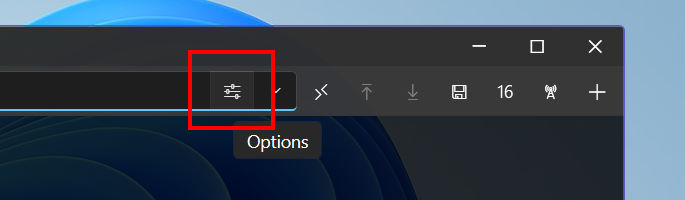
Terminalski has an address bar for each terminal screen and you can use it for making a quick connection simply by entering a website-like address for your server or device.
The following table summarizes available connection type schemes and address formats. Please note that the following only shows most commonly used formats. If you want to explore additionally supported arguments and options, you can use the quick connection popup window by clicking Options toolbar button.
|
URI Schemes |
Address Format |
| Address Book Entry |
ab:// |
ab://address_book_entry_path[:tcp_connection_type]
|
-
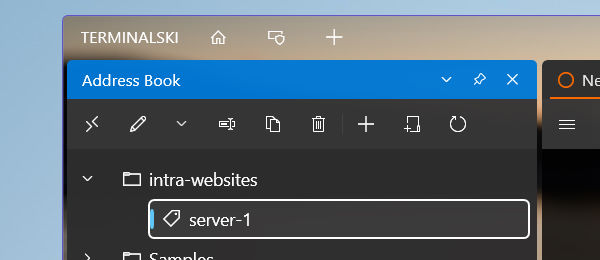
ab://intra-websites/server-1
Make a connection using the Address Book entry named 'server-1' in the folder 'intra-websites'.
-
ab://intra-websites/server-1:telnet
Terminalski groups TCP/IP based connections such as SSH and Telnet as 'Internet (TCP/IP)' in its Address Book entries. You will then set a 'Default protocol' (ex. SSH) that will be used when you are making a connection using such entries. If you want to override the default protocol, you can append :tcp_connection_type to your Address Book entry path.
For the tcp_connection_type, you can use the same URI scheme names for TCP/IP connections supported in Terminalski, i.e., ssh, telnet and tcp.
|
| SSH |
ssh:// |
ssh://[user_id@]server_address[:port_number] |
-
ssh://luca@192.168.1.15
Connects to 192.168.1.15 on default SSH port number 22.
-
ssh://luca@192.168.1.15:999
Connects to 192.168.1.15 on port number 999.
|
| Telnet |
telnet:// |
telnet://server_address[:port_number] |
| TCP Direct / Raw TCP |
tcp:// |
tcp://server_address[:port_number] |
| Serial/COM Port |
serial:// |
serial://com_port_number[,baud_rate[,data_bits[,parity[,stop_bits]]]] |
| Windows PTY |
winpty:// |
winpty://console_program_file_name[/?args=command_line_arguments] |
|
You should use Windows PTY for interacting with Windows console programs (ex. Windows Command Prompt, PowerShell, OpenSSH command-line tools, etc.)
-
winpty://cmd
If you omit the folder path for your executable, Terminalski will use the search paths you set for your computer when locating it. Hence you can just use cmd for opening Windows Command Prompt as cmd.exe is located in C:\Windows\System32 folder and that folder should already be in your list of search paths.
winpty://C:\Windows\System32\curl.exe/?args=--version
winpty://curl/?args=https%3A%2F%2Fwww.google.com
|